> ## Documentation Index
> Fetch the complete documentation index at: https://seal-d2ca5bea.mintlify.site/llms.txt
> Use this file to discover all available pages before exploring further.
# Instances
> Executing your work.
Instances are the executable records of your processes. Created from a governed **Template**, an Instance is where work is performed and data is captured. Because it inherits all the rules, fields, and content from its parent Template, every Instance ensures that your workflows are executed with precision, consistency, and full GxP compliance.
# Creating instances
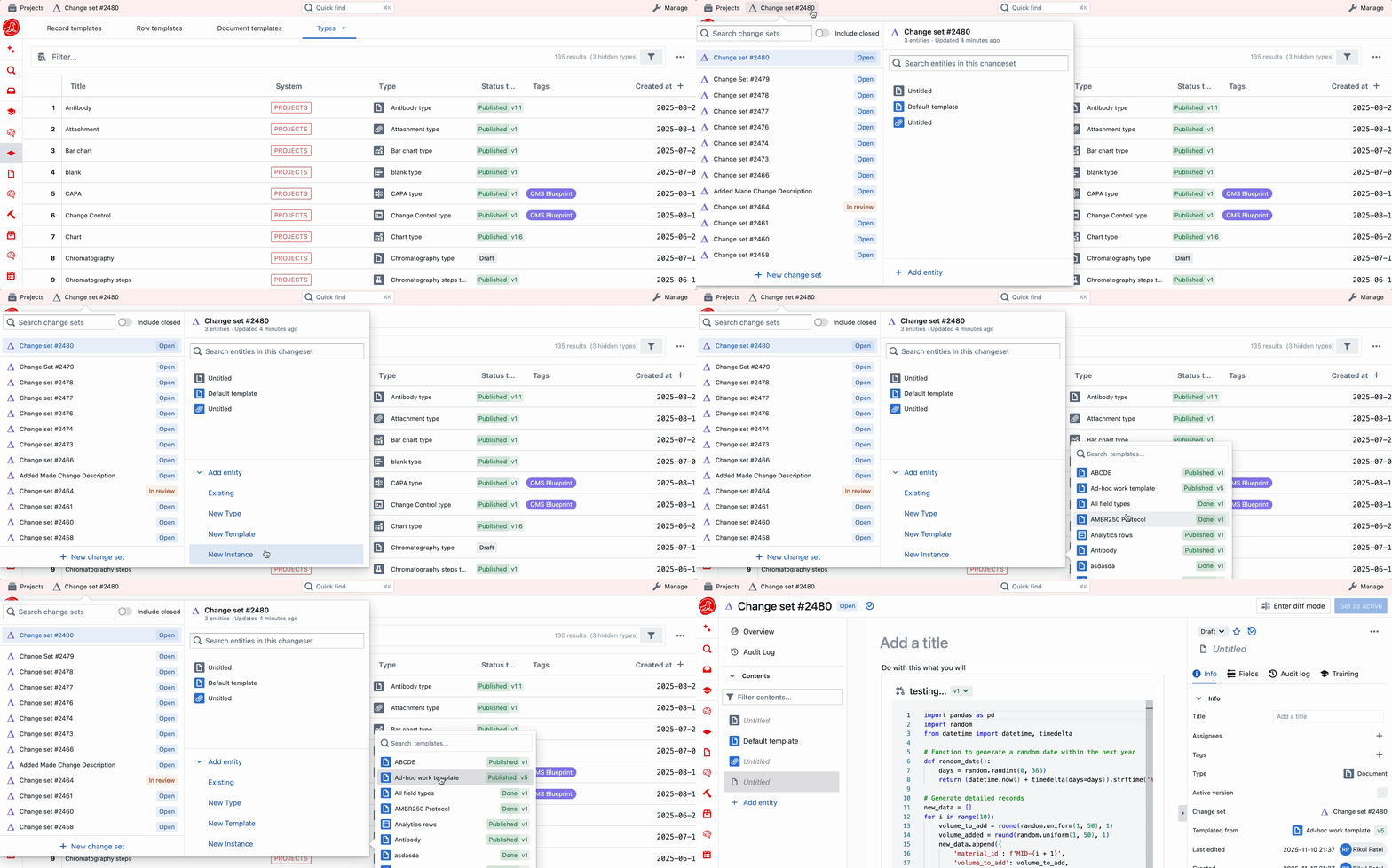
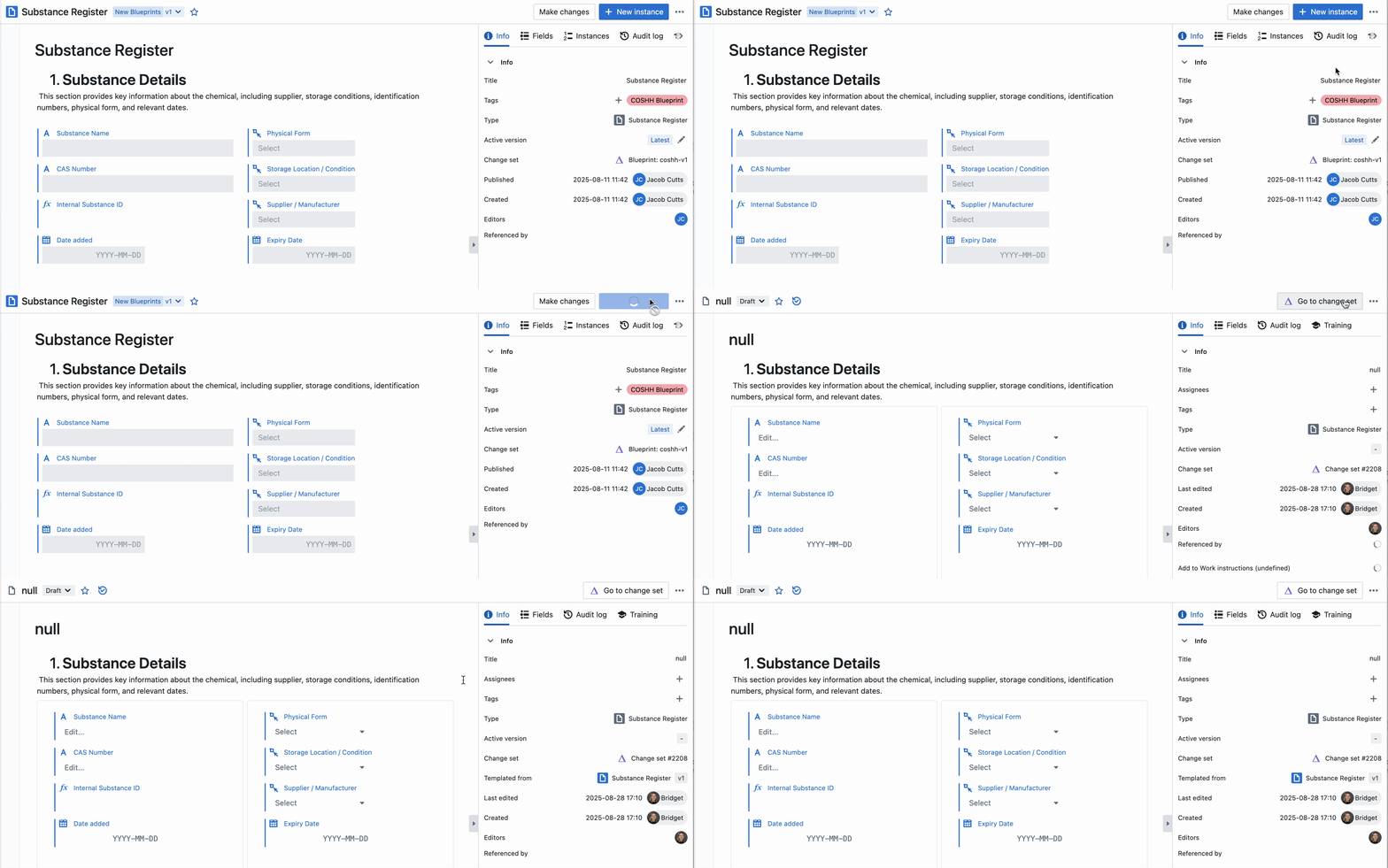
Instances can be made by both managers and operators, via the `\+ New Entity` button in the change set panel, or via a template.
 # Executing work in an instance
Once you have instantiated your template, you can start carrying out your work. The edits you can make to your instances depend on the permissions you have, and whether strict mode is enabled for that instance.
Read about content and fields [here](/entity-content/page-content) and [here](/entity-content/fields).
## Computed titles
Instance titles can be controlled in two ways: computed title expressions (set on the template), or a [title formula](/entity-content/formulas#title-and-status-tag-formulas). Title formulas are the preferred approach — they support full Python logic and re-run automatically when their inputs change.
If your template has a computed title or a title formula set up, the title becomes read-only on the instance — you will not be able to edit it manually. Title is only controlled on instances; you can always edit a template's title directly. Hovering over the title will tell you the expression being used.
# Executing work in an instance
Once you have instantiated your template, you can start carrying out your work. The edits you can make to your instances depend on the permissions you have, and whether strict mode is enabled for that instance.
Read about content and fields [here](/entity-content/page-content) and [here](/entity-content/fields).
## Computed titles
Instance titles can be controlled in two ways: computed title expressions (set on the template), or a [title formula](/entity-content/formulas#title-and-status-tag-formulas). Title formulas are the preferred approach — they support full Python logic and re-run automatically when their inputs change.
If your template has a computed title or a title formula set up, the title becomes read-only on the instance — you will not be able to edit it manually. Title is only controlled on instances; you can always edit a template's title directly. Hovering over the title will tell you the expression being used.
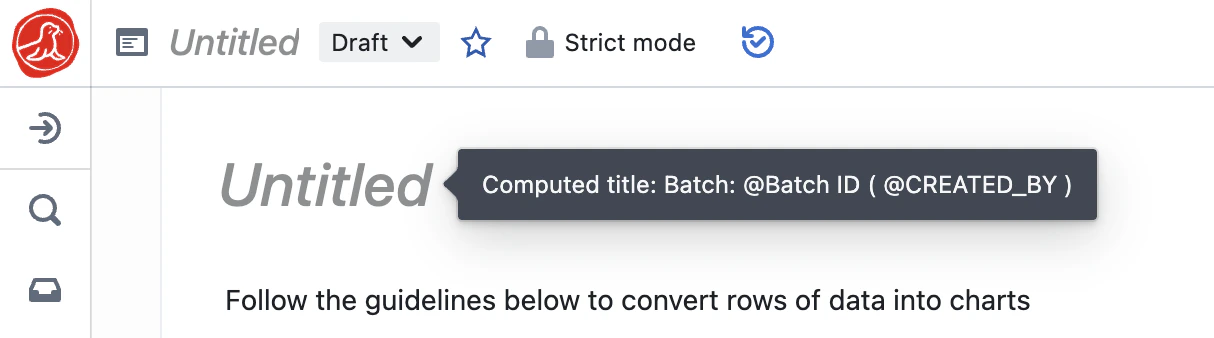 Computed titles will appear when all components have a value - in the example used above, the Instance will remain *'Untitled'* until the field `Batch ID` has been filled in. The title will be re-computed every time an edit is made to the entity.
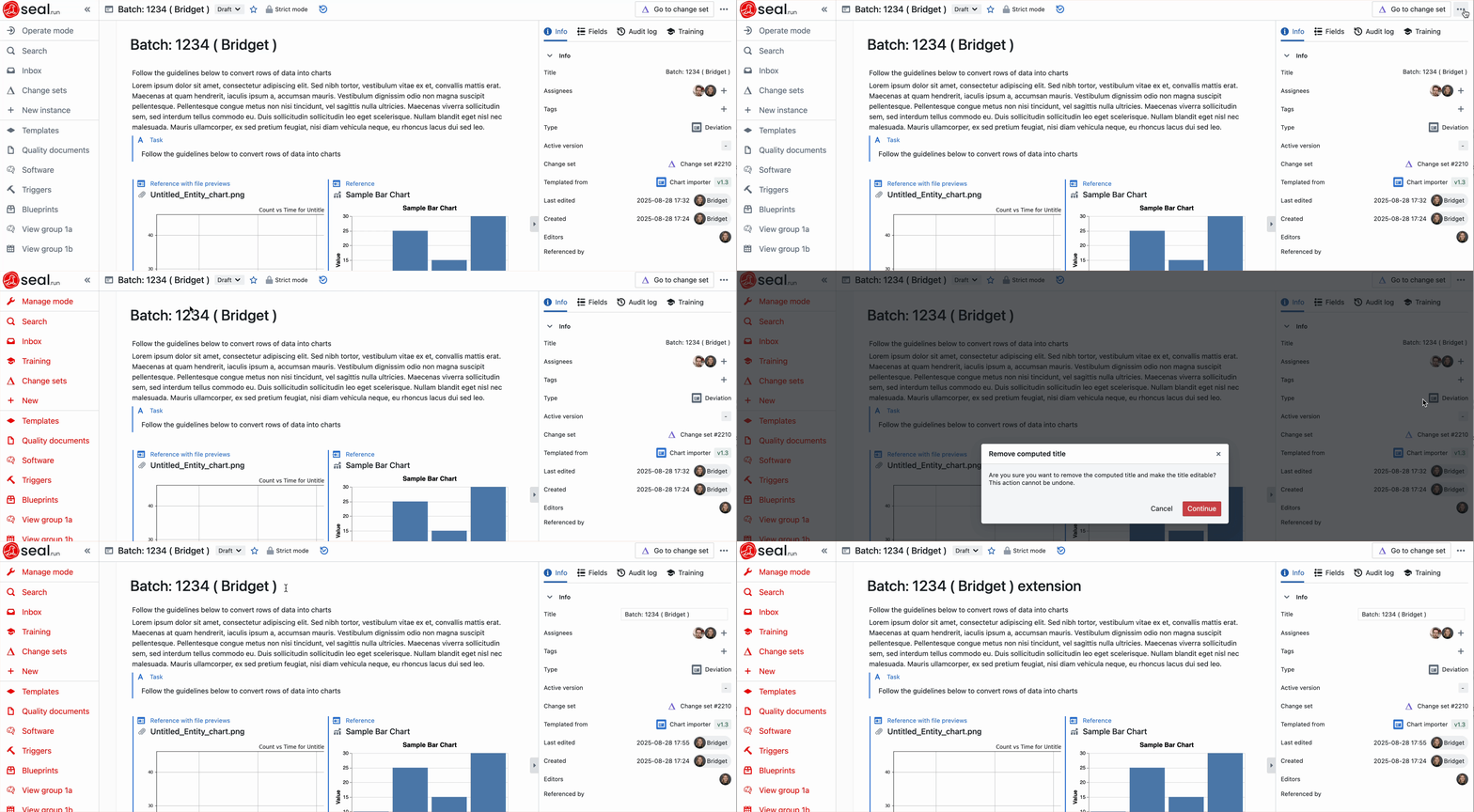
If you have manage permissions, you are able to **remove the computed title**. This turns the title into a regular string title that can be edited by anyone.
This action is reversible. Use the history panel to restore previous values.
Computed titles will appear when all components have a value - in the example used above, the Instance will remain *'Untitled'* until the field `Batch ID` has been filled in. The title will be re-computed every time an edit is made to the entity.
If you have manage permissions, you are able to **remove the computed title**. This turns the title into a regular string title that can be edited by anyone.
This action is reversible. Use the history panel to restore previous values.
 ## Assignees
If assignees have been set on the template, those users will automatically be assigned to the instance on creation. However, these assignees can be edited on the instance itself by any user.
## Assignees
If assignees have been set on the template, those users will automatically be assigned to the instance on creation. However, these assignees can be edited on the instance itself by any user.
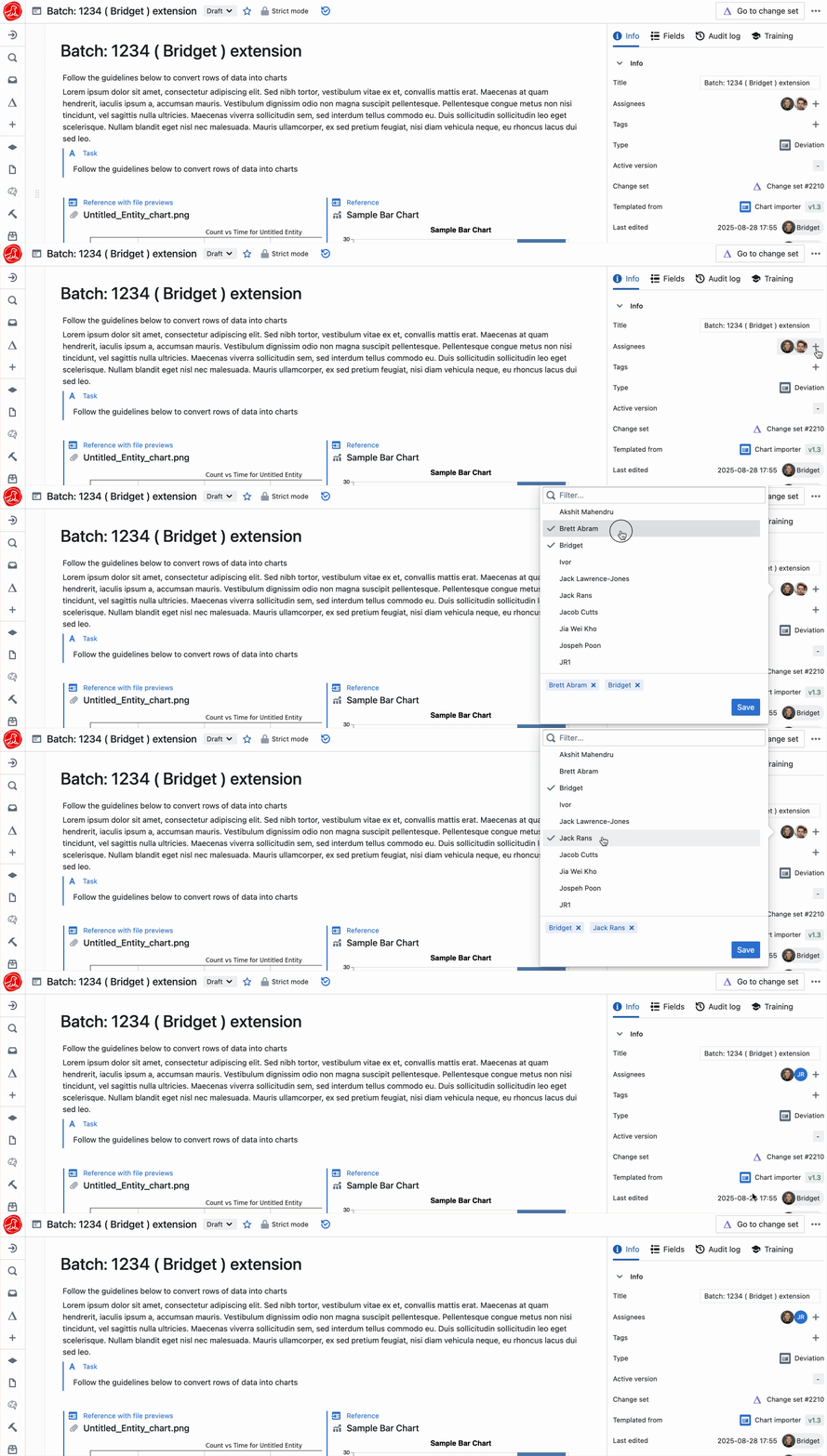 Assigning users will notify them via email and an inbox notification in Seal. The assignment will be marked as complete when the instance is published.
## Strict mode
Similarly, if Strict Mode has been set on the template, all instances will be created with Strict Mode enabled.
This can be toggled **on** or **off** for any entity by any user in **manage** mode. This also applies to instances that were not created in Strict Mode to begin with, and can be done from the 3 dot menu.
Assigning users will notify them via email and an inbox notification in Seal. The assignment will be marked as complete when the instance is published.
## Strict mode
Similarly, if Strict Mode has been set on the template, all instances will be created with Strict Mode enabled.
This can be toggled **on** or **off** for any entity by any user in **manage** mode. This also applies to instances that were not created in Strict Mode to begin with, and can be done from the 3 dot menu.
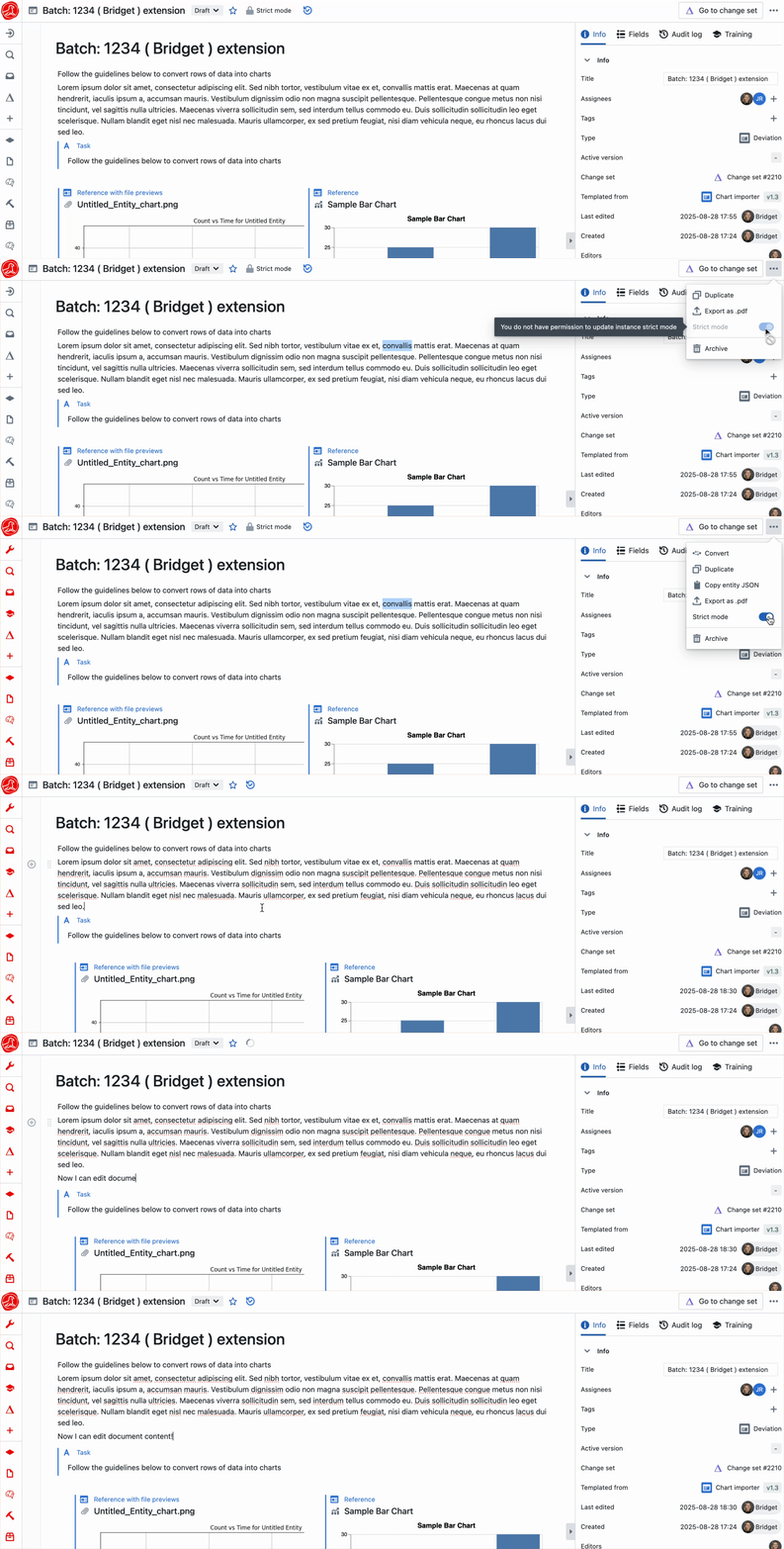 Learn more about what Strict Mode controls in the 'Strict Mode' section [here](/entities/templates).