> ## Documentation Index
> Fetch the complete documentation index at: https://seal-d2ca5bea.mintlify.site/llms.txt
> Use this file to discover all available pages before exploring further.
# Templates
> The structure for your processes and data.
Templates are the configurable blueprints for your standard processes. Building upon the architectural rules defined in a **Type**, a Template allows you to design a specific, version-controlled workflow. This ensures that every time a process is run, it is executed consistently and correctly, inheriting the governance and guardrails from its underlying Type while providing a precise, standardized structure for scientists to follow.
# Creating templates
Once you have set up your type, you can make templates from the type. These obey all the rules set on the type.
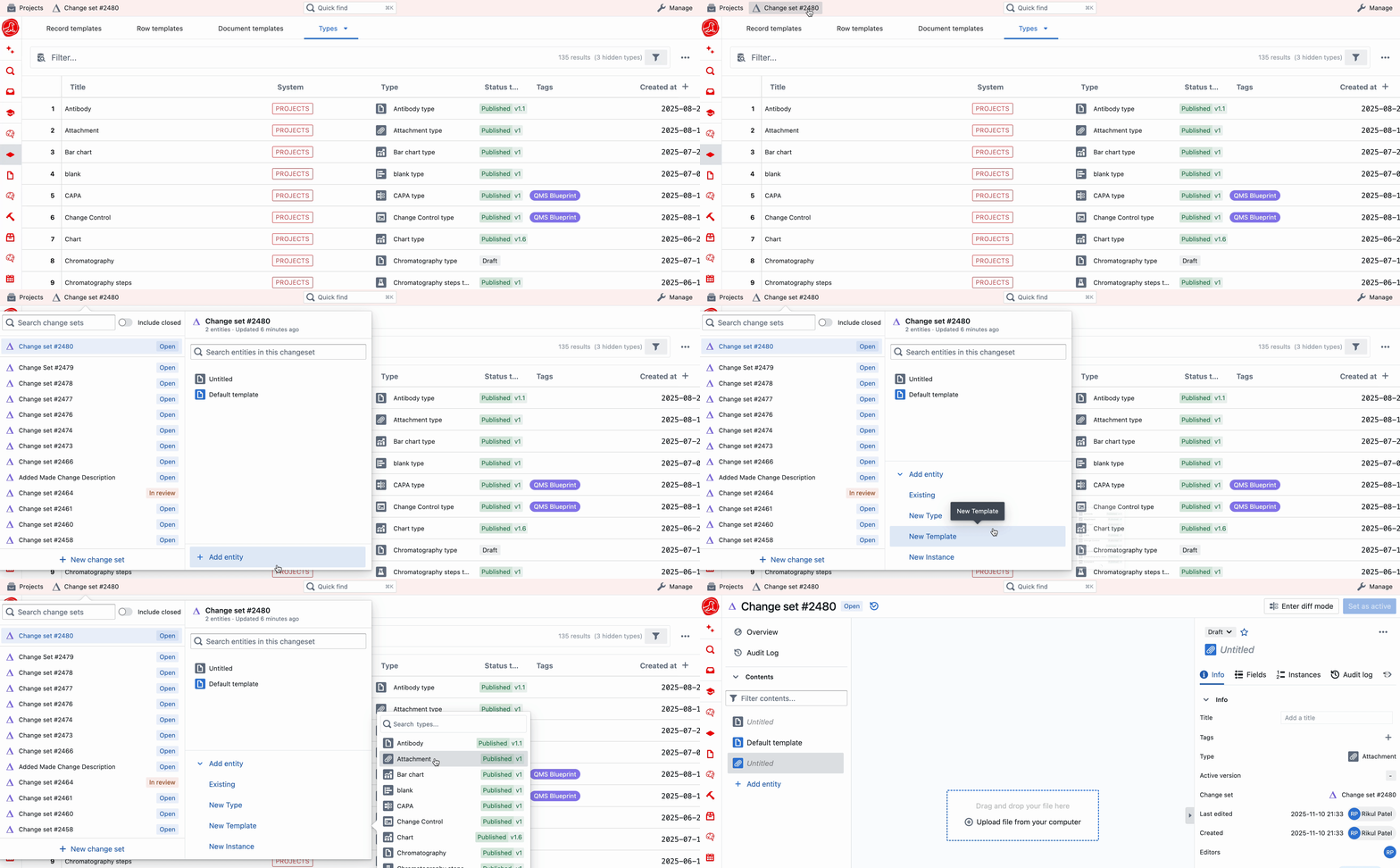
Only managers can create and edit templates. Select '+ New Entity' in the change set panel from the top navigation bar, then select 'Template'.
 # Configuring your template
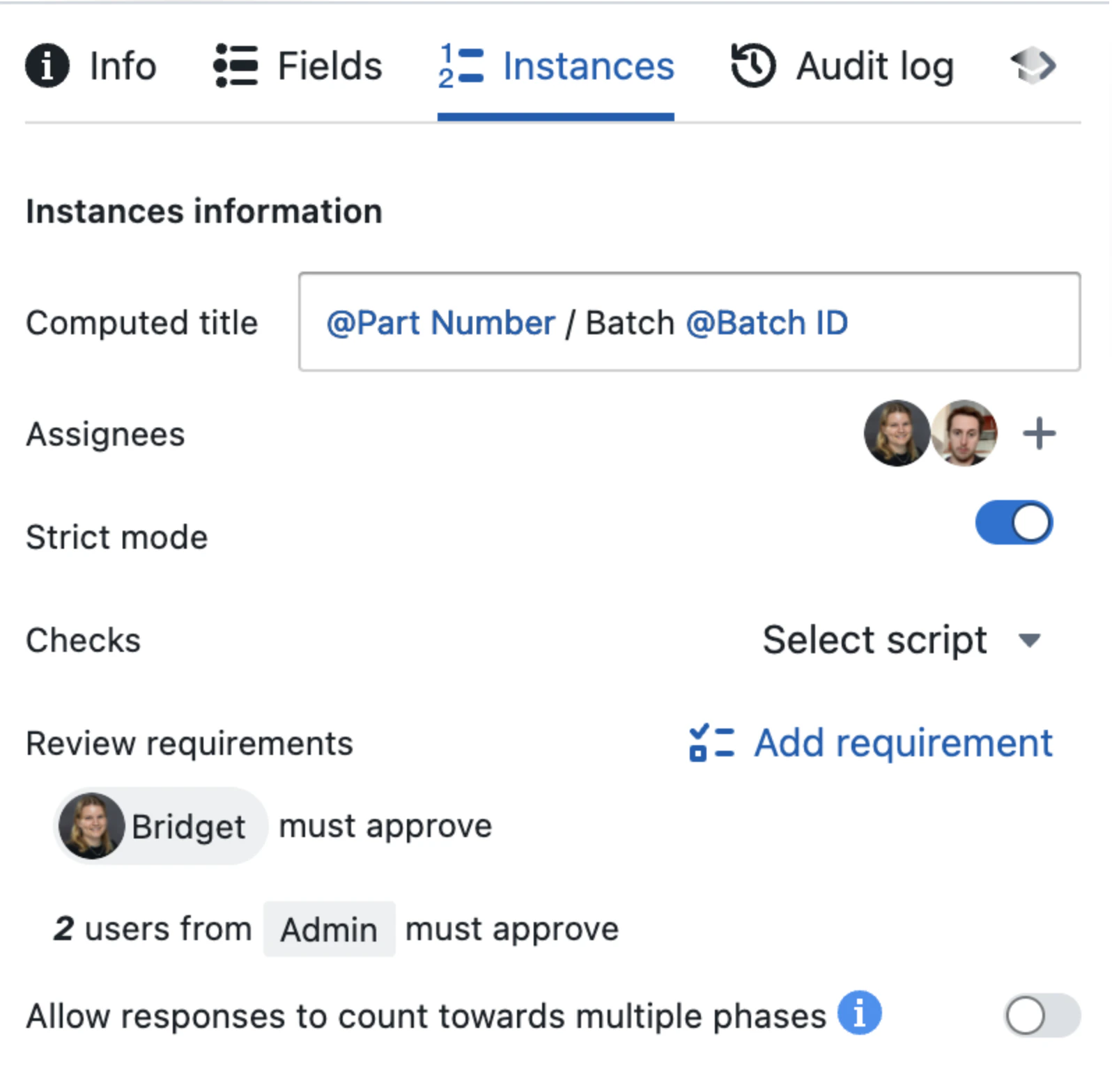
On your template, you can then add further customisation that will be applied to all instances of that template:
* Page content
* Fields
* Field values
* Computed titles
* Assignees
* Strict mode
* Review requirements
* Validation checks
**Page content**, **field** and **field values** effectively get copied across to the instance, so templates and instances have exactly the same.
Learn more about content and fields [here](/entity-content/page-content) & [here](/entity-content/fields)
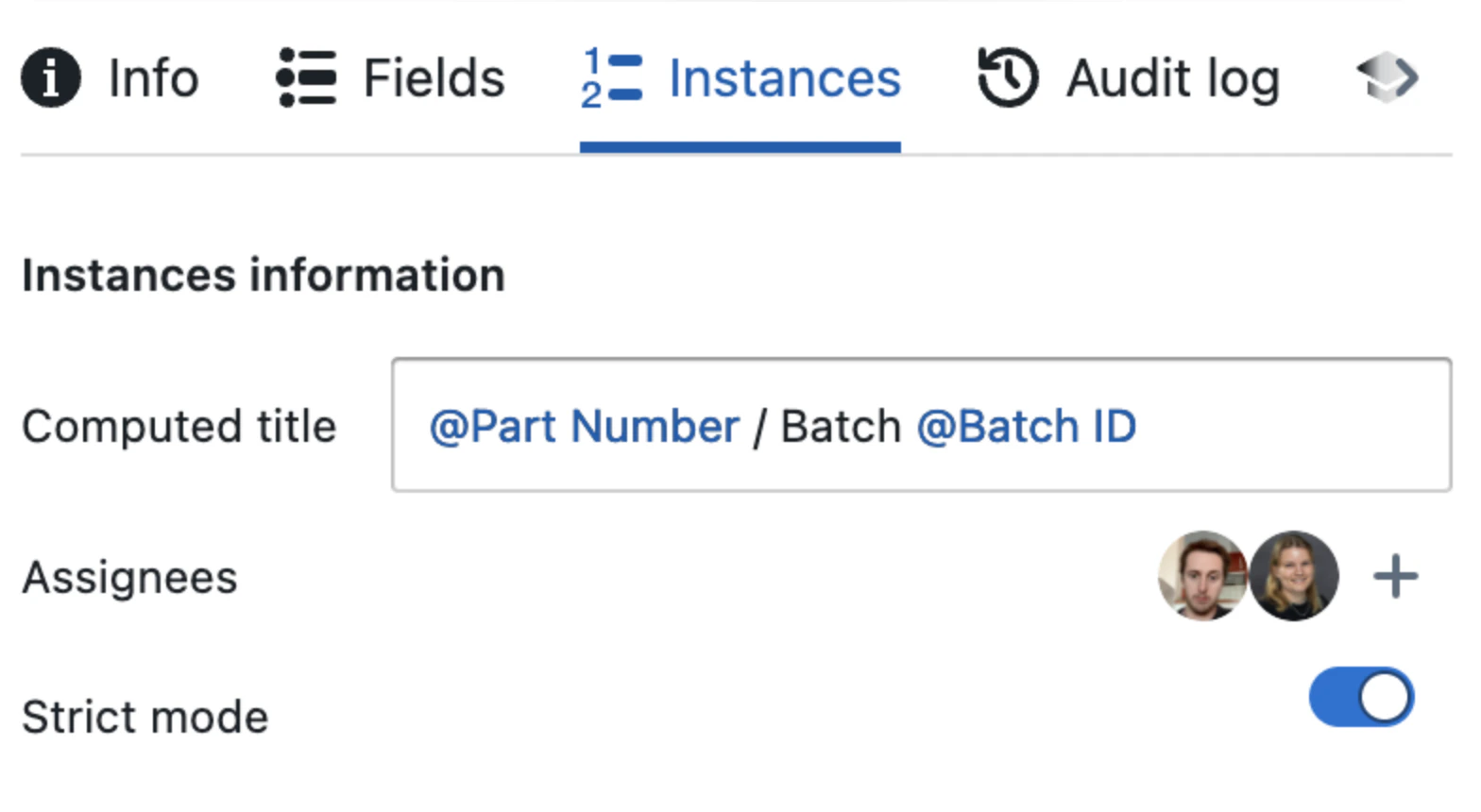
The rest get **set on the template** in the 'Instances' tab of the sidebar. They apply to instances of the template, **not the template itself**.
# Configuring your template
On your template, you can then add further customisation that will be applied to all instances of that template:
* Page content
* Fields
* Field values
* Computed titles
* Assignees
* Strict mode
* Review requirements
* Validation checks
**Page content**, **field** and **field values** effectively get copied across to the instance, so templates and instances have exactly the same.
Learn more about content and fields [here](/entity-content/page-content) & [here](/entity-content/fields)
The rest get **set on the template** in the 'Instances' tab of the sidebar. They apply to instances of the template, **not the template itself**.
 ## Computed titles
**Prefer a [title formula](/entity-content/formulas#title-and-status-tag-formulas) for new templates.** A formula like `title = f"LOT-{entity.index}"` is more flexible than computed title expressions and supports full Python logic (conditionals, formatting, field references). The instance title becomes read-only — protected from manual edits. Computed title expressions remain supported but are no longer the recommended approach.
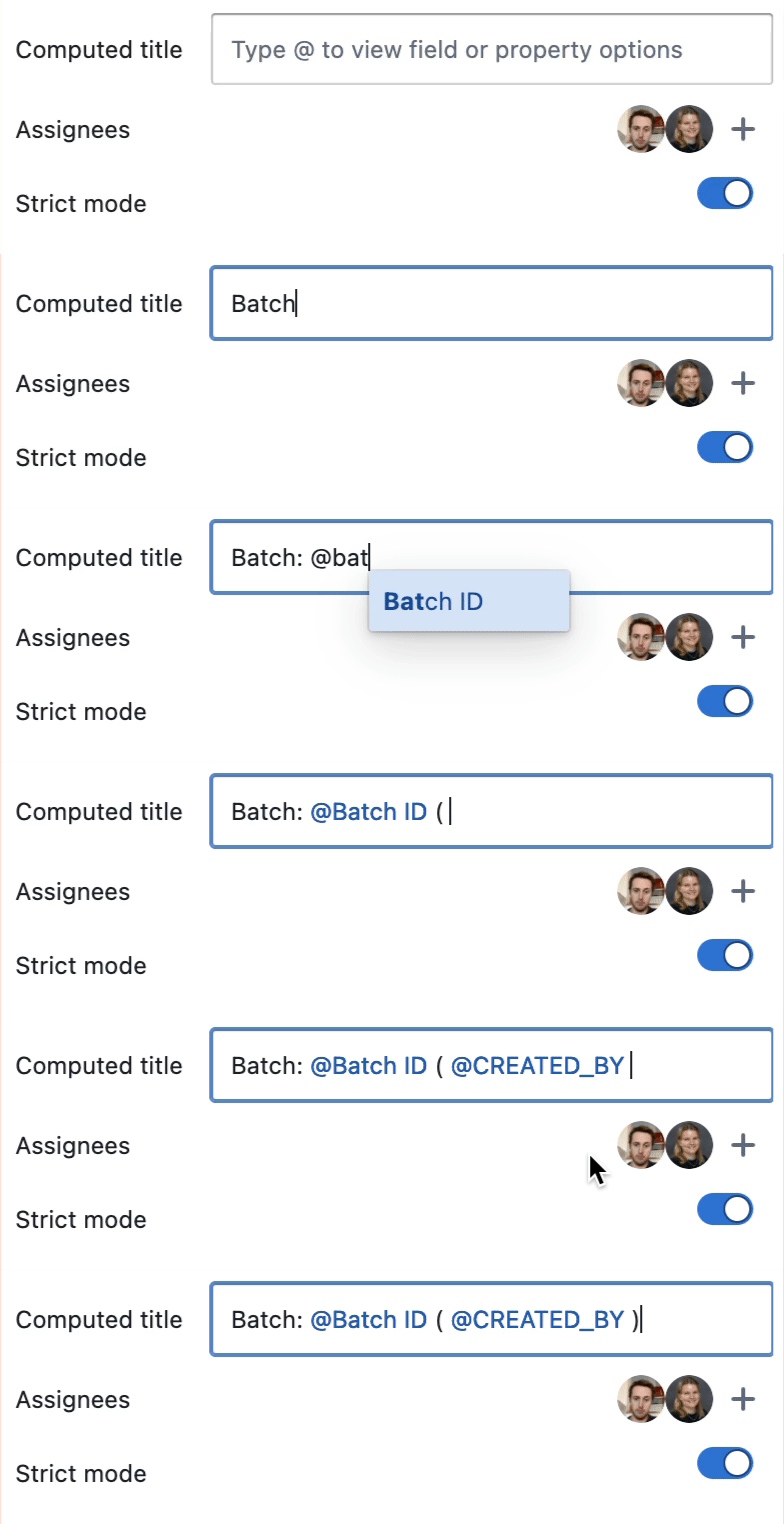
It is possible to set computed title expressions for your instances.
All instances created from this template will have their title automatically generated. When a title is computed (either via an expression or a [title formula](/entity-content/formulas#title-and-status-tag-formulas)), it becomes read-only on the instance — users cannot manually edit it.
You can customise computed fields to add specific fields or properties.
## Computed titles
**Prefer a [title formula](/entity-content/formulas#title-and-status-tag-formulas) for new templates.** A formula like `title = f"LOT-{entity.index}"` is more flexible than computed title expressions and supports full Python logic (conditionals, formatting, field references). The instance title becomes read-only — protected from manual edits. Computed title expressions remain supported but are no longer the recommended approach.
It is possible to set computed title expressions for your instances.
All instances created from this template will have their title automatically generated. When a title is computed (either via an expression or a [title formula](/entity-content/formulas#title-and-status-tag-formulas)), it becomes read-only on the instance — users cannot manually edit it.
You can customise computed fields to add specific fields or properties.
 | Expression | Field / Property |
| -------------------- | ---------------------------------------------------------------------------------------------------------------------------- |
| `@"Field name"` | References a field from the template |
| `@CREATED_AT` | Date and Time of instance creation |
| `@CREATED_BY` | User that created the instance |
| `@TASK_PROGRESS` | Percentage of checklist items checked (e.g., "75%") |
| `@LAST_PUBLISHED_AT` | Date and Time of publication (null if not published) |
| `@LAST_PUBLISHED_BY` | User that published the entity (null if not published) |
| `@VERSION` | Version number of the entity (null if not published) |
| `@TYPE_NAME` | Name of the Type |
| `@INDEX` | A running number that increases consecutively, across all entities, irrespective of type, template or instance |
| `@TYPE_INDEX` | An index per instance made from the type, increasing for every instance made. Empty on templates, resolves on instances. |
| `@TEMPLATE_INDEX` | An index per instance made from the template, increasing for every instance made. Empty on templates, resolves on instances. |
When you configure a computed title on a template, the template itself
does not have an instance index yet. `@TYPE_INDEX` and
`@TEMPLATE_INDEX` therefore appear empty on the template and resolve on
instances created from that template.
Computed titles, like formulas, are re-calculated every time an edit is made to the entity they belong to.
## Assignees
You can assign users to instances — they will be notified via email and an inbox notification in Seal. Default assignees can be added to templates, via the instances tab. When the template is instantiated, default assignees will be notified.
The assignment will be marked as complete when the instance is published.
| Expression | Field / Property |
| -------------------- | ---------------------------------------------------------------------------------------------------------------------------- |
| `@"Field name"` | References a field from the template |
| `@CREATED_AT` | Date and Time of instance creation |
| `@CREATED_BY` | User that created the instance |
| `@TASK_PROGRESS` | Percentage of checklist items checked (e.g., "75%") |
| `@LAST_PUBLISHED_AT` | Date and Time of publication (null if not published) |
| `@LAST_PUBLISHED_BY` | User that published the entity (null if not published) |
| `@VERSION` | Version number of the entity (null if not published) |
| `@TYPE_NAME` | Name of the Type |
| `@INDEX` | A running number that increases consecutively, across all entities, irrespective of type, template or instance |
| `@TYPE_INDEX` | An index per instance made from the type, increasing for every instance made. Empty on templates, resolves on instances. |
| `@TEMPLATE_INDEX` | An index per instance made from the template, increasing for every instance made. Empty on templates, resolves on instances. |
When you configure a computed title on a template, the template itself
does not have an instance index yet. `@TYPE_INDEX` and
`@TEMPLATE_INDEX` therefore appear empty on the template and resolve on
instances created from that template.
Computed titles, like formulas, are re-calculated every time an edit is made to the entity they belong to.
## Assignees
You can assign users to instances — they will be notified via email and an inbox notification in Seal. Default assignees can be added to templates, via the instances tab. When the template is instantiated, default assignees will be notified.
The assignment will be marked as complete when the instance is published.
 ## Strict mode
**Strict mode** can be used to lock down editability of instances. It limits what users can fill out to the following:
* Title
* Field values
* Task cards
* Checkboxes
* Assignees
* Tags
* Work instructions
This means that the following **cannot** be edited while Strict Mode is turned on:
* Page content
* Field configuration & names
* Adding / removing fields
* Automation code & triggers
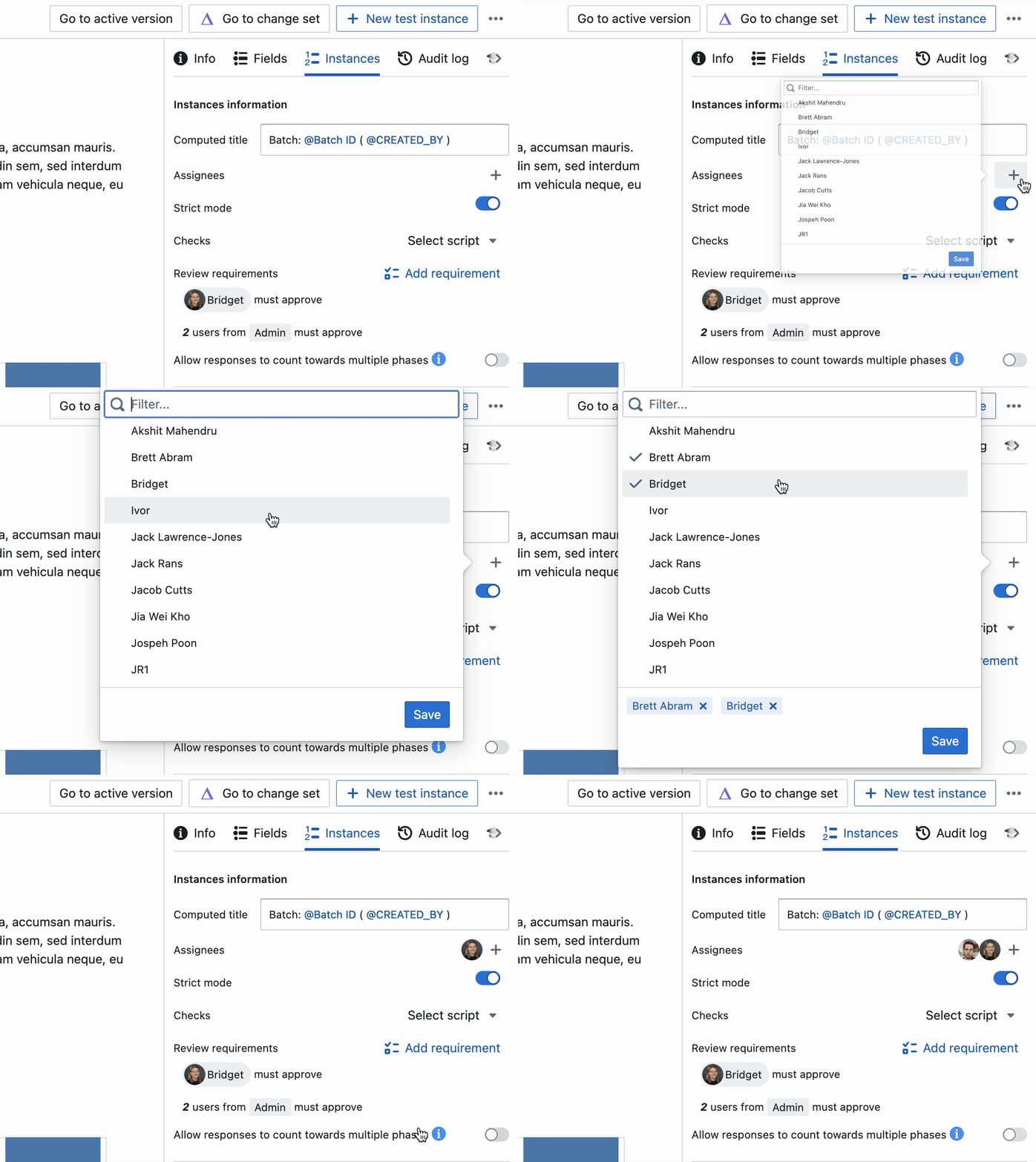
You can clearly see if an instance is in Strict mode by looking at the top bar:
## Strict mode
**Strict mode** can be used to lock down editability of instances. It limits what users can fill out to the following:
* Title
* Field values
* Task cards
* Checkboxes
* Assignees
* Tags
* Work instructions
This means that the following **cannot** be edited while Strict Mode is turned on:
* Page content
* Field configuration & names
* Adding / removing fields
* Automation code & triggers
You can clearly see if an instance is in Strict mode by looking at the top bar:
 Like Computed Titles and Assignees, Strict Mode can be set on the Instances tab of templates. All instances created from the template will be in Strict Mode.
 Strict Mode can be turned on and off on individual instances by those with Manage permissions. See [Instances](/entities/instances) for details.
## Review requirements and checks
Like types, you can set mandatory review requirements and checks that must pass for instances to be published.
Learn more about Review Requirements and Checks [here](/change-control/review-requirements-and-checks)
Strict Mode can be turned on and off on individual instances by those with Manage permissions. See [Instances](/entities/instances) for details.
## Review requirements and checks
Like types, you can set mandatory review requirements and checks that must pass for instances to be published.
Learn more about Review Requirements and Checks [here](/change-control/review-requirements-and-checks)